 BundleBoss
BundleBoss
BundleBoss
Letting a customer build and personalise their own bundle in WooCommerce usually takes two or three plugins bolted together. BundleBoss does the whole thing, configure and personalise, in one. Free to start, set up in minutes.
If you have tried to let customers build their own bundle, you have hit the wall. Product Bundles locks every slot, so it cannot do a different size or colour per unit. So you add Composite Products for the configuring, then Product Add-Ons for the names and logos. Three plugins, three settings screens, three things to keep updated, and a checkout that still cannot quite do what the customer asked.
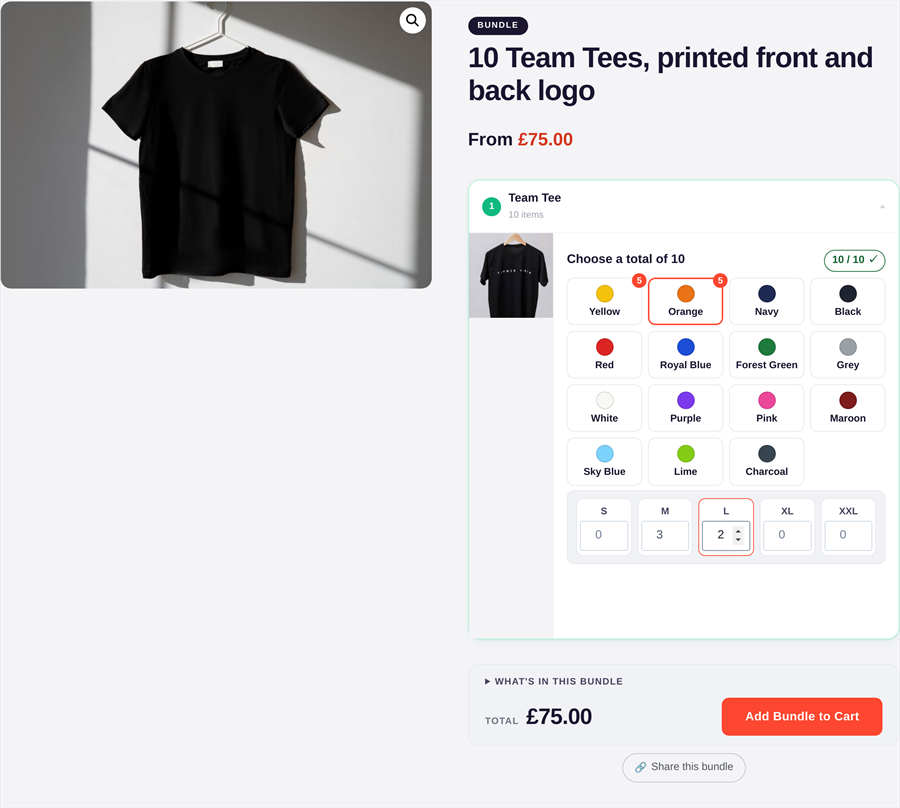
BundleBoss is one plugin that does all of it. A club orders 20 training tops: 6 navy medium, 5 black large, the rest a mix, a player name on every back. One product, one configurator, one line at checkout, one order to fulfil. That is the thing the three-plugin stack cannot do, even side by side.
To match what BundleBoss Pro does using official WooCommerce.com extensions, you would reach for Product Bundles (£61 a year), Composite Products (£114) for the configurable, choice-based building, and Product Add-Ons (£61) for personalisation. That is roughly £235 a year, across three separate plugins. BundleBoss Solo is £79 and built as one.
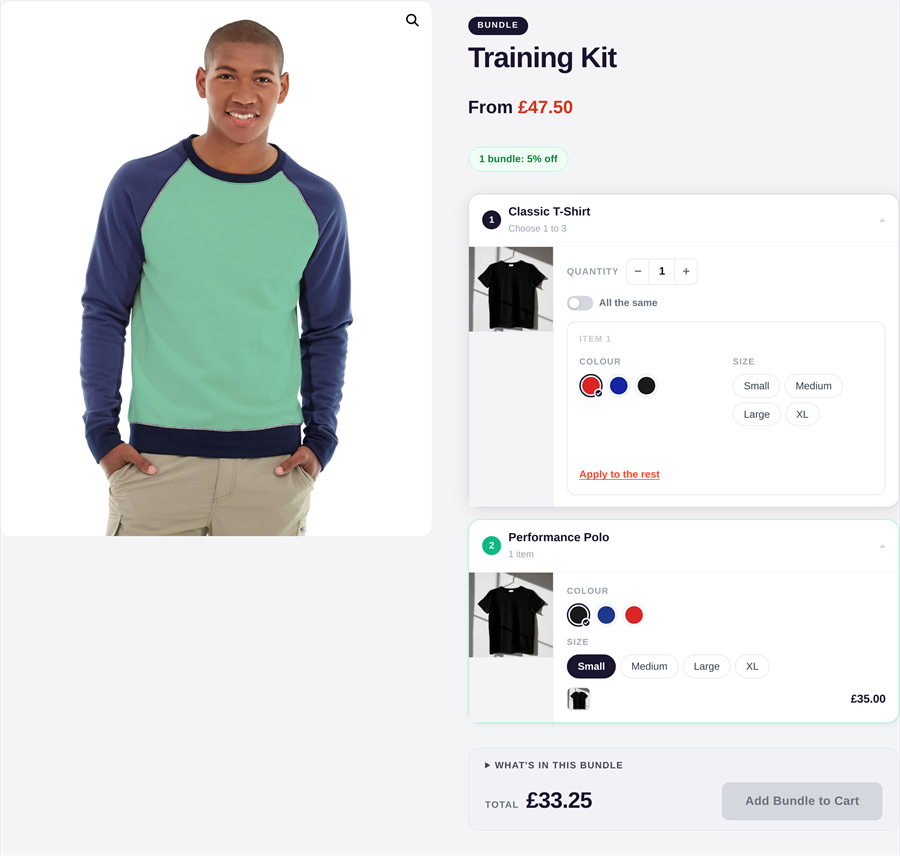
These are all capable plugins, and some are cheaper than us. Here is how they line up on the things that matter for configurable, personalised kits, which is where a broad, low-cost bundler like Product Bundle Builder stops. The one that matters most for apparel: BundleBoss configures variable products unit by unit in the free build, where the cheaper plugins keep variations for their paid tier.
| Feature | BundleBoss | Product Bundle BuilderAsana | WooCommerce3 extensions | YITHProduct Bundles | WPCProduct Bundles |
|---|---|---|---|---|---|
| Per-unit configurationa size or colour run, each unit different | Yes | No | No | No | No |
| Variable products in the free buildsizes and colours without paying | Yes | Pro only | Paid | Paid | Paid |
| Personalise each itemnames, numbers, logo upload | Yes | Basic text | Add-on plugin | Add-on plugin | Add-on plugin |
| Options without variationscolour and size sets on simple products | Yes | No | Add-on plugin | Add-on plugin | Add-on plugin |
| Choice slots with rulesguided pick-one builder | Yes | Selection | Composite | No | No |
| Shareable build linkscopy a finished build to a link | Yes | No | No | No | No |
| Build-a-box, mix and matchfill a box from a range | Yes | Yes | Yes | No | Yes |
| Everything in one pluginno extra add-on plugins | Yes | Partly | No | No | No |
| Price / yearsingle site | £79Solo, launch | about £35 | about £235 | about £65 | free / from £25 |
Competitor features and prices are as we understand them at the time of writing, so check each vendor for the latest. WooCommerce.com prices are the public single-site rates; Product Bundle Builder, YITH and WPC price in euros or US dollars, shown here converted and rounded.
On WooCommerce's own Composite Products idea board, these are among the most voted, still-open requests. BundleBoss already does them.
Vote counts are from the public WooCommerce.com Composite Products feature request board at the time of writing.
The one that matters most for apparel and kit: BundleBoss personalises every unit on its own, a different name and number on each shirt, configured and bought as a single line. The three-plugin stack is not built to do that even side by side.
BundleBoss does the whole range in one plugin. A plain fixed pack takes about two minutes; the same plugin handles configurable, per-unit, personalised builds when you need them. So you never bolt on a second or third plugin, and never migrate to a heavier tool as you grow. The official extensions are each good at their one piece. BundleBoss is the one that covers the lot.
Free on WordPress.org. No card, no trial wall, set up in minutes.
Yes. Pro includes a one-click importer that reads your Composite Products setups and rebuilds them as BundleBoss bundles, and there is a step-by-step migration guide.
Yes. Configuring, choice slots and per-item personalisation are all in BundleBoss. No separate Composite or Product Add-Ons licence, and no plugins to make talk to each other.
The free build already does configurable, per-unit bundles, including variable products with sizes and colours, plus pricing, stock and fulfilment pick lists. Pro adds the Builder: choice slots, personalisation, the full-page configurator and more.
They drop straight in as bundle items. Each keeps its sizes and colours, and the customer configures every unit on the bundle page.
Composite has a few very advanced per-component pricing scenarios. For everyday configurable bundles, kits and personalised runs, BundleBoss does the job in one plugin and adds the per-unit configuration and personalisation Composite cannot. The table above shows where each fits.
See how BundleBoss compares with the other bundle plugins: vs WooCommerce Product Bundles and vs WPC Product Bundles and vs Product Bundle Builder.