 BundleBoss
BundleBoss
BundleBoss
Sometimes one order is ten of the same product, but not identical: a few small, a few medium, two in another colour, a different name on each. BundleBoss lets a shopper type that whole run into one grid and buy it as a single order. Most bundle plugins simply cannot.
A customer wants ten shirts: three small, four medium, two large, one extra large, two of them in red. On a normal WooCommerce product their only options are all bad:
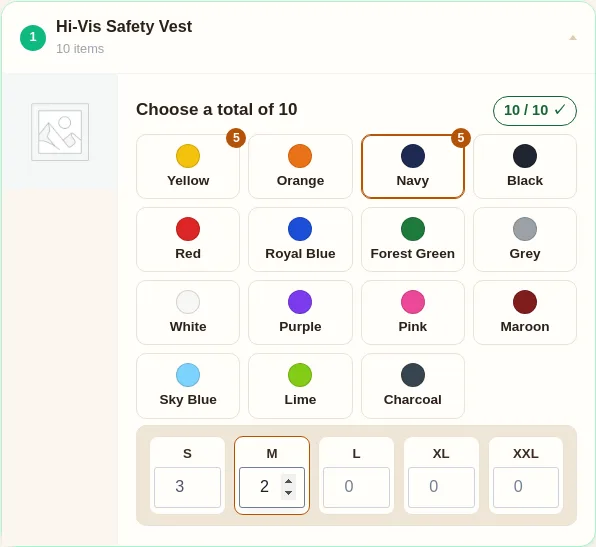
The shopper picks a colour and types how many of each size. The quantity grid adds it all up as one run, with the total updating to the penny, and the whole mixed order goes into the cart as a single line. One grid instead of ten rows, no separate product for every combination.
Variations are only half of it. When each unit is its own editable card, you can add personalisation to every piece, a name, a number, a logo to upload, so unit one says Jones and unit two says Smith inside the same order. A different size, colour and name on each. (On a typed grid run you add one shared logo for the set instead.) It is the part the official extensions are not built to do even side by side, and why the workwear and team-kit world ends up paying for custom builds.
Anything that comes in variations works the same way. A coffee roaster selling a twelve-bag case as a mix of roasts. A brewery selling a case split across four beers. A paint shop selling a set in different colours, a hardware kit in mixed lengths. If your product has options and people buy several at once, the grid fits.
Most bundle and composite plugins configure the bundle: which different products go in the box, with an option chosen per slot. They were never built to take one product, multiply it, and let each unit differ. That gap is exactly what per-unit configuration fills. See how BundleBoss compares.