 BundleBoss
BundleBoss
BundleBoss
A hoodie in twelve colours and seven sizes is eighty-four variation records if you build it the WooCommerce way, and once they pile up the product editor slows to a crawl and, past a point, will not save. Most sellers never learn there is another way. BundleBoss keeps the product simple and adds the choices on top, so shoppers see the same colours and size buttons a variable product would show while your admin keeps one product, one stock line, and an editor that still loads.
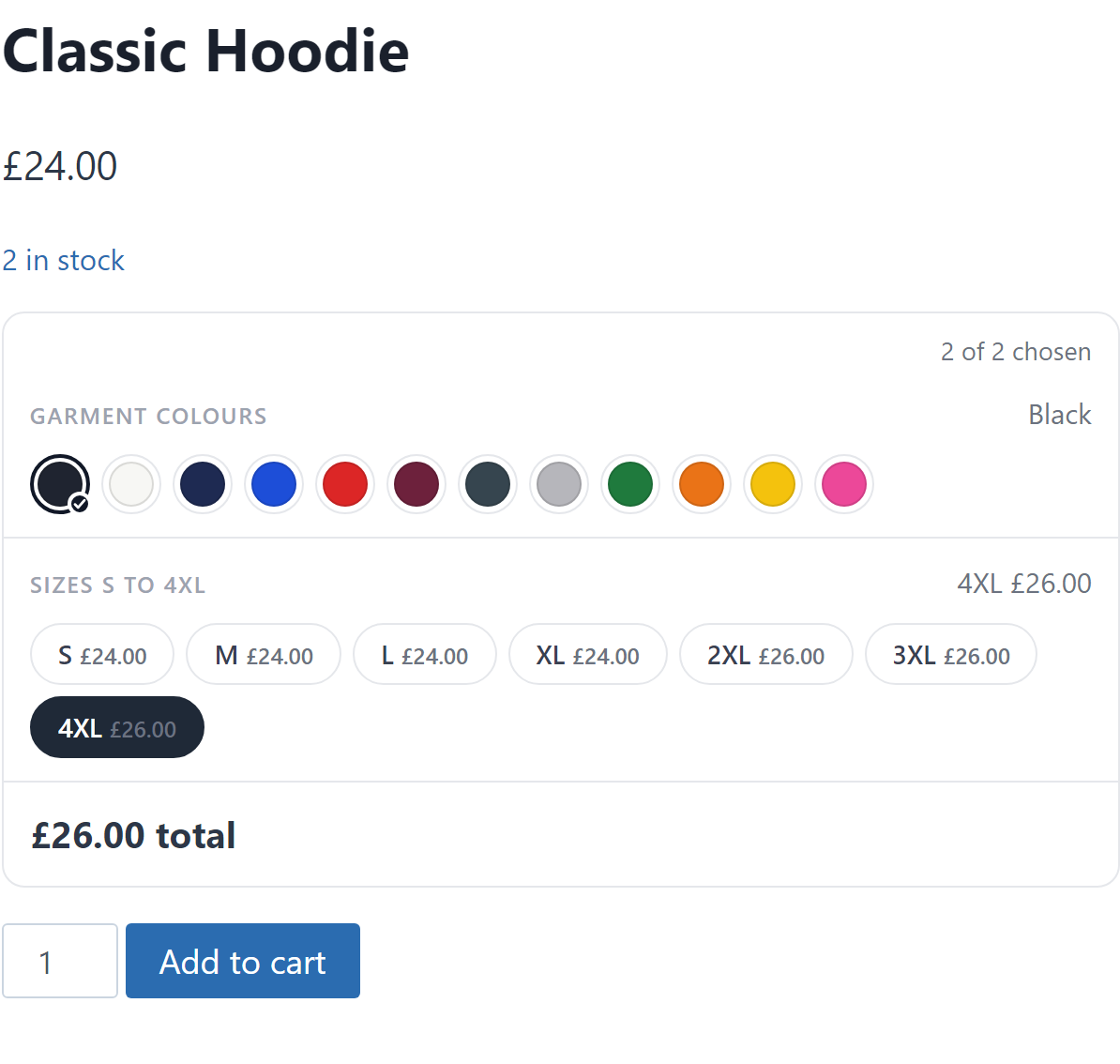
With variable products you rebuild the same colour and size grid on every item you sell. An option set is the opposite. Write your colours and sizes one time, or start from a ready-made set (garment colours, sizes S to 4XL, UK shoe sizes, paper sizes, bag weights), keep what fits and add the rest. Attach it to a product and you are done. Change the set later and every product that uses it updates at once, so a new colour reaches your whole range from one screen.
A colour range means a photo per colour, and setting each one by hand is the other half of the tedium. Suggest photos does it for you. It reads your product gallery and your media library, matches an image to each option by file name, and even recognises the colour codes suppliers bake into their file names, so a photo called RX500-BLK-FRONT lands on your Black option. You glance down the proposed matches and apply. Nothing changes until you say so.
Each size shows its own price on the button, so a bigger size reads as a price, not a surcharge aimed at the shopper. The number on the page is the number in the cart, on the order and in the confirmation email. That last part is where other options plugins come undone, and it is the loudest complaint in their reviews, the price on the page and the price at checkout disagreeing. Ours stay one number, because options run through the same engine that already gets your bundle maths right.
Some things are not sold from a fixed list of sizes at all. A banner is priced by the metre, a worktop is cut to order, fabric is bought by the length. BundleBoss prices those too. Name the measurements, set a rate, and the shopper types the size while the price works itself out, per metre or per square metre, with a minimum charge if you need one. It is the job sign shops and print shops keep saying they cannot do in WooCommerce, the reason so many fall back to a quote form. Here it just sells.
This is the part a separate options plugin cannot give you. Because options and bundles are one system, every bundle that includes the product inherits its choices: a fixed-price pack of three hoodies where every hoodie picks its own colour and size, a build-a-box where each product offers its choices before it goes in the box. One engine, one total, one cart line.
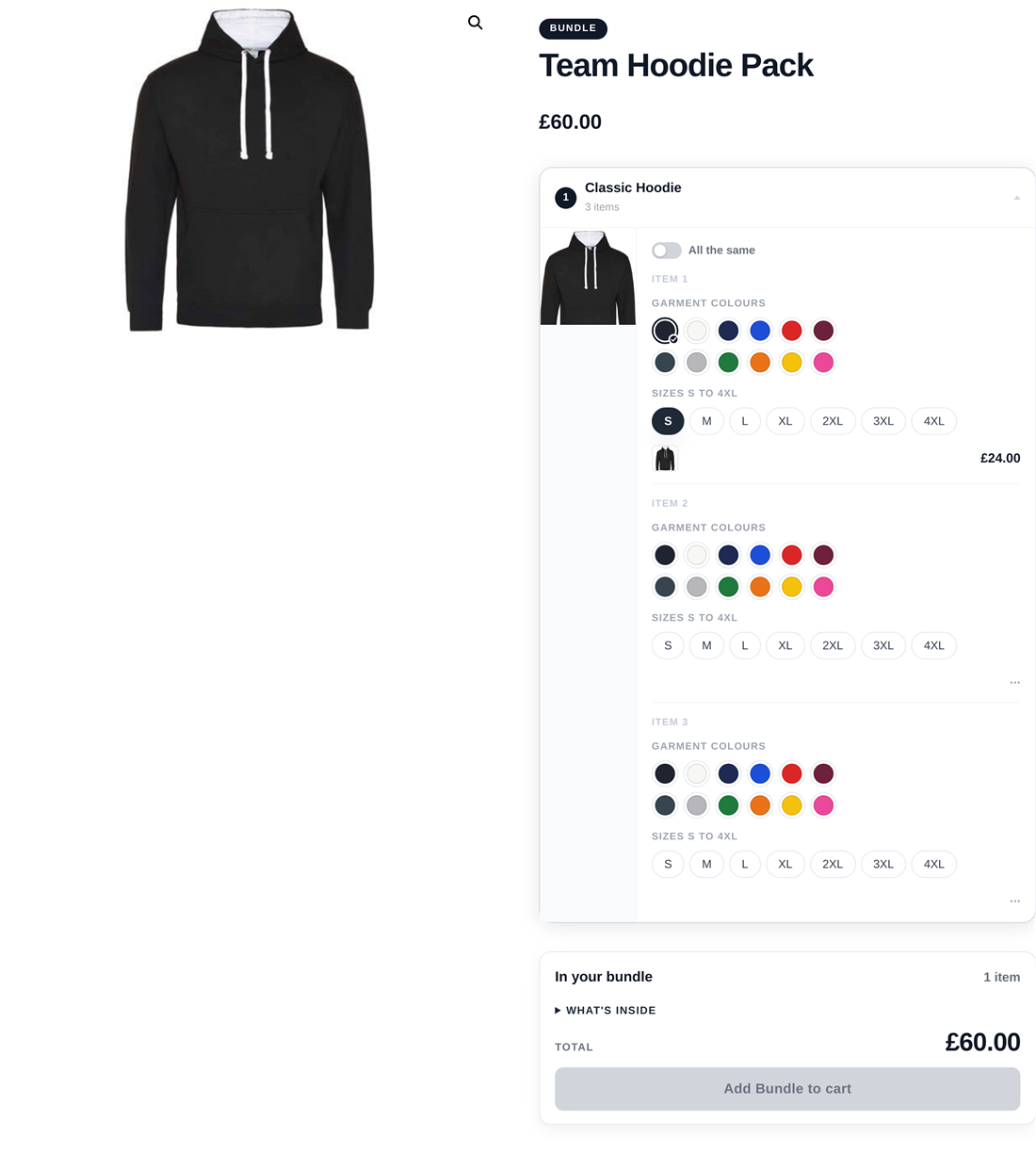
Shops usually end up buying a bundles plugin, an options plugin and a swatches plugin, then hoping the three agree about prices in the cart. Product options are part of BundleBoss Pro, the same admin and the same engine that already handles your bundle maths, nothing extra to buy or keep compatible. A product that needs an uploaded logo or a print file takes one too, with the file-type and size limits the other add-ons leave out. And where you genuinely need per-version stock, normal WooCommerce variations still work alongside, including inside bundles.